
Cowboy Spin Casino App - Android APK v7.8.1 & iOS PWA Install Guide
Installing the Cowboyspin mobile app doesn't require visiting an app store. The casino uses a Progressive Web App (PWA) format, which installs from the browser directly onto the device's home screen - bypassing the App Store and Google Play entirely. For Android users, a native APK file is also available as an alternative installation route. Both paths deliver the same casino experience on a mobile device, without the storage overhead of a conventional app and without waiting for marketplace approval cycles.
This page covers the technical details of the Cowboyspin app - confirmed from APK analysis as well as the official site - along with step-by-step installation for both Android and iOS, and the practical differences between the PWA and APK installation methods. If you're evaluating Cowboyspin as a platform before installing anything, the full casino overview covers the licensing, game selection and payment methods in a separate context.
The app delivers the same features available on desktop: the complete game library, account management, deposit and withdrawal access, bonus activation and the loyalty program. There's no mobile-exclusive content, but there's also no feature gap relative to the browser version that would make the desktop experience preferable for most routine use cases.
Cowboyspin App Technical Specifications
| Parameter | Value |
|---|---|
| App Type | PWA (Progressive Web App) |
| Android APK Version | 7.8.1 |
| Android Package Name | com.casino.cowboyspincasinocom |
| APK File Size | 6.9 MB |
| APK Architecture | Native WebView wrapper |
| iOS Installation Method | Safari > Add to Home Screen |
| Android Installation Methods | Chrome > Add to Home Screen (PWA) or direct APK |
| App Store Required | No |
| Google Play Required | No |
| Auto-Updates | Yes (PWA updates automatically on load) |
| Game Access | Full library (6,000+ titles) |
| Minimum iOS Version | iOS 12+ recommended |
What Is the Cowboyspin Casino App and How Is It Different from a Regular App?
The Cowboyspin app is a Progressive Web App - a web application built to behave like a native app on a mobile device without requiring marketplace submission. When installed, it appears on the home screen with its own icon, launches in full screen without a browser address bar, and is indistinguishable from a conventional app in day-to-day use. The underlying difference is in the installation path and the update mechanism: PWAs install via the browser rather than through an app store, and they update automatically in the background without requiring user action or a separate download.
PWA vs Native App: Why Cowboyspin Chose Browser-Based Installation
A native app submitted to the App Store or Google Play undergoes a review process that can take days or weeks, and gambling apps face additional restrictions from both Apple and Google regarding which markets they can serve. A PWA bypasses this entirely: Cowboyspin publishes the update on the server, and any player opening the app on their next session automatically receives the current version without downloading anything. Storage footprint is significantly lower - the 6.9 MB APK contains a WebView shell loading the casino website, rather than storing game assets locally. The trade-off is that a PWA requires an internet connection to function, which is expected for a live casino platform.
Is the Cowboyspin App Available on the App Store or Google Play?
The Cowboyspin app is not listed on either Apple's App Store or Google Play. Installation happens exclusively through the casino website at cowboyspincasino.com using the Add to Home Screen function in a mobile browser. This is consistent with how most Curacao-licensed online casinos distribute their mobile apps globally, as marketplace listings for real-money gambling require jurisdiction-specific compliance that is typically more restrictive than browser-based distribution. Players who search for "Cowboyspin" in app stores will not find an official listing; any result appearing there should be treated with caution.
How to Install the Cowboyspin App on Android: APK and PWA Guide
Android users have two installation paths: the browser-based PWA installation through Chrome, or downloading and installing the APK file directly from the casino site. Both result in a home screen icon that opens the Cowboyspin casino in a full-screen mobile interface. The APK option provides a more native feel and slightly faster launch times; the PWA option requires fewer permission settings.
Step-by-Step: Installing Cowboyspin on Android via Chrome Browser
Open Chrome on your Android device and navigate to cowboyspincasino.com. After a few seconds, Chrome may display an "Add to Home Screen" prompt at the bottom of the screen; if it doesn't appear automatically, tap the three-dot menu in the top right corner and select "Add to Home Screen" from the menu. A dialog box will ask you to confirm the name for the app shortcut - you can leave it as "CowboySpin" or edit it. Tap "Add" to confirm, and the app icon will appear on your home screen. Opening it launches the casino in full-screen mode without the Chrome address bar.
Cowboyspin APK Technical Details: Version 7.8.1, Package and File Size
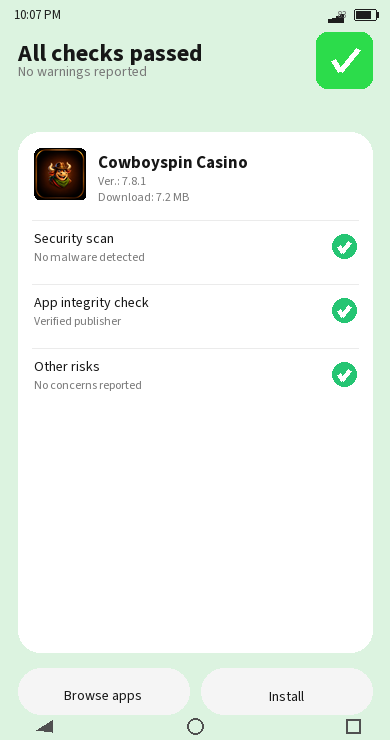
The Cowboyspin Android APK carries version number 7.8.1, uses the package identifier com.casino.cowboyspincasinocom and has a file size of 6.9 MB - a compact footprint for a casino application. The APK architecture is a native Android WebView wrapper: the app opens a full-screen WebView component that loads the Cowboyspin website directly, rather than packaging game assets locally. Two main activities define the app's structure: MainActivity handles the initial launch sequence, and WebViewActivity manages the casino interface that runs throughout the session. This architecture means the "app" experience and the browser experience run the same underlying site; the APK simply provides a persistent home screen entry point and removes the browser chrome.
How to Enable Installation from Unknown Sources for the Cowboyspin APK
Android blocks installation of APK files from outside the Play Store by default. To install the Cowboyspin APK, go to Settings on your device and find the Security or Privacy section (the exact location varies by Android version and manufacturer). In Android 8.0 and above, the setting is per-app: navigate to the browser or file manager you used to download the APK, find the "Install Unknown Apps" or "Allow from this source" toggle for that app, and enable it. In earlier Android versions, a single "Unknown Sources" toggle applies to all apps. Once enabled, locate the downloaded APK file in your file manager and tap it to begin installation. After installation completes, you can disable the Unknown Sources setting again if you prefer not to leave it active.
How to Install the Cowboyspin App on iPhone and iPad
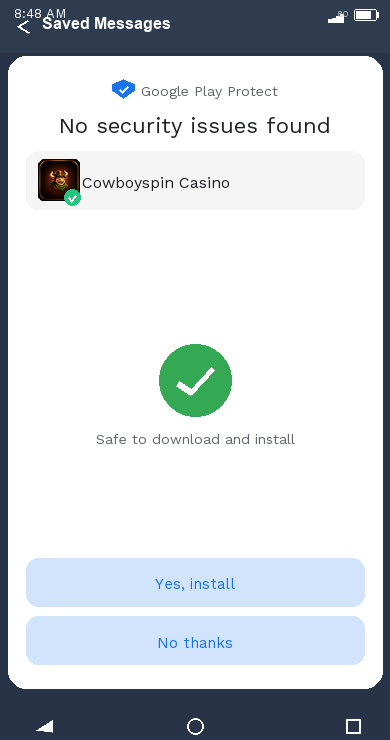
iOS installation uses Safari's Add to Home Screen function. The process doesn't require any settings changes because PWA installation through Safari is a native iOS feature - Apple doesn't treat it as an unknown source equivalent. The installed app behaves like a web clip: it launches in full screen, maintains its own icon on the home screen, and keeps a separate browser session from Safari itself.
Step-by-Step: Adding Cowboyspin to Your iPhone Home Screen via Safari
Open Safari on your iPhone or iPad - the PWA installation function is specific to Safari and may not be available in Chrome or other third-party browsers on iOS. Navigate to cowboyspincasino.com and wait for the page to fully load. Tap the Share button at the bottom of the screen (a box with an upward arrow). In the share sheet that opens, scroll down until you see "Add to Home Screen" and tap it. A confirmation screen shows the app name and URL; you can edit the name here if preferred. Tap "Add" in the upper right corner. The Cowboyspin icon will appear on your home screen and will open the casino in full-screen mode without the Safari interface.
Does the Cowboyspin iOS PWA Work on All iPhone and iPad Models?
The Cowboyspin PWA functions on any iPhone or iPad running iOS 12 or later, which covers essentially all devices still in common use. The interface adapts to different screen sizes through responsive design, handling both portrait and landscape orientations. Older devices running iOS 11 or earlier may encounter issues with certain PWA features, though these represent a small fraction of active iOS devices. iPad users should be aware that the layout defaults to a widescreen format optimised for the casino lobby display, which works well for the game browser and live tables but may feel different from the compact mobile view on smaller screens.
What Features Are Available in the Cowboyspin Mobile App?
The Cowboyspin mobile app provides access to every feature available on the desktop site. The complete game library - 6,000+ slots, 442 live dealer tables, crash games and sports betting - loads through the app's WebView interface identically to how it appears on desktop. Account management including deposits, withdrawals, KYC document upload, bonus activation and loyalty program access are all fully functional from the mobile interface.
The screenshots visible in the mobile version of Cowboyspin show a bottom navigation bar with five icons: Menu, Casino, Bonuses, Activities and Search. The top of the screen displays tabs for Casino, Live and Sports, allowing quick switching between the main sections. The Big Wins section appears immediately below the hero banner, showing recent large payouts with usernames and amounts. The navigation structure is clean and consistent with what would be expected from a platform that invested in mobile from launch.
Full Game Library, Bonuses and Account Management on Cowboyspin Mobile
All slot titles, live tables and crash games render in the app. Game providers haven't implemented any mobile-exclusive exclusions beyond the standard geographic restrictions that apply on desktop as well. The bonus activation flow - including depositing to trigger a welcome package tranche or entering a promo code for the Sunday Reload - works identically to the desktop cashier. Push notifications (if enabled during app installation) deliver updates on promotions and tournament activity. The loyalty dashboard showing mission progress and wheel of fortune access is accessible from the activities navigation tab.
How Does Cowboyspin Mobile Performance Compare to the Desktop Version?
Because the PWA loads the same underlying website as the desktop browser, performance differences come entirely from the device and connection rather than any mobile-specific code path. Slot games load directly from the provider's servers through the WebView component; live streams run at the quality supported by the connection bandwidth. The main practical difference is screen real estate: the game interface on a 6-inch phone display is smaller than on a desktop monitor, which some players find limiting for live table games where multiple betting positions are visible simultaneously. For slots and crash games, the compact screen is generally not a significant limitation.
How to Get the Most from Cowboyspin on Your Mobile Device
Using the Cowboyspin app effectively on mobile is mostly about matching game formats to the screen format. Crash games and instant titles are particularly well-suited to mobile sessions: they're designed for short rounds, use simple interfaces and don't require reading detailed paytables or tracking multiple reel positions simultaneously.
Claiming Cowboyspin Bonuses and Free Spins Through the Mobile App
All bonus mechanics available on desktop function identically through the mobile app. The welcome package deposits can be made through the mobile cashier, the daily free spin batches arrive and can be activated from the mobile interface, and the Sunday Reload code RELDAY can be entered from the mobile deposit screen. Players who use the mobile app as their primary interface are not disadvantaged relative to desktop users in any part of the bonus structure. The 40x wagering requirement and EUR 5 max bet restriction apply equally regardless of device.
Best Game Formats for Cowboyspin Mobile: Crash Games and Instant Slots
Crash games like Aviamasters and Golden Plinko are optimised for exactly the kind of short-session, one-interaction-per-round format that suits mobile use. Standard slots with complex bonus mechanics - multi-level Hold and Win features, Megaways boards with many concurrent paylines - are playable but more visually demanding on smaller screens. Live dealer tables stream in HD and function fully on mobile, though the chat interface and multi-view options may be more cramped. For new mobile users at Cowboyspin, starting with slots and crash games while the interface is still unfamiliar is a sensible entry point before moving to live tables with more UI complexity.
Cowboyspin App Troubleshooting: Common Issues and Fixes
PWA and APK apps occasionally encounter issues that don't arise on desktop browsers, typically related to caching, permissions or the underlying WebView component.
What to Do If the Cowboyspin App Fails to Load or Shows a Blank Screen
If the app displays a blank screen or fails to load after launch, the most likely causes are a cached state issue or a stale app version. For PWA installations on both iOS and Android: delete the home screen shortcut, clear the browser cache in Safari or Chrome, then reinstall the app by visiting cowboyspincasino.com and repeating the Add to Home Screen process. For APK users on Android: the APK-wrapped WebView may need a refresh if the underlying site has updated significantly since installation; downloading the current APK from the casino site and reinstalling it resolves most loading issues. Ensure your device has a stable internet connection before assuming the app itself is at fault.
How to Update the Cowboyspin App to the Latest Version
The PWA version updates automatically each time it's opened with an active internet connection - no manual action is required. If you notice an older interface or missing features, closing and reopening the app while connected typically applies any pending update within seconds. For APK users, updates require downloading the new APK from cow-boy-spin-casino.com and installing it over the existing version; Android will handle this as an in-place update without requiring uninstallation first. Checking the APK version currently running against the current release on the site is straightforward: the version number (7.8.1 as of the current release) can be verified in the device's App Info for the installed package.
When the Mobile App May Not Be the Right Choice
The Cowboyspin PWA works well for the majority of use cases, but there are scenarios where it falls short. Players with very limited device storage may find even the 6.9 MB APK acceptable, but the ongoing data consumption during gameplay is a separate consideration - streaming live casino content through mobile data is bandwidth-intensive regardless of the app format, and players without reliable Wi-Fi should account for this. The app doesn't function offline, so network dependency is absolute. Players who specifically need features like offline game pre-loading, which some dedicated native apps provide for RNG-only content, won't find that here. For anyone who wants to manage account verification and KYC document upload on mobile, this works through the app's standard interface, though uploading documents from a phone camera can occasionally produce quality issues that delay the verification check.